MV VK Equip
|
Show your support
All works are free for use. If you would like to show your support you may wish to: Version 1.20
Released 2015-Nov-24 updated 2018-Mar-16 DOWNLOAD from GoogleDrive Mirror DOWNLOAD from Pastebin This script is a redesigned equip screen to simulate the equip screen from Valkyrie Stories.
|

Follow my twitter and keep up-to-date on new/updated scripts
|
Features
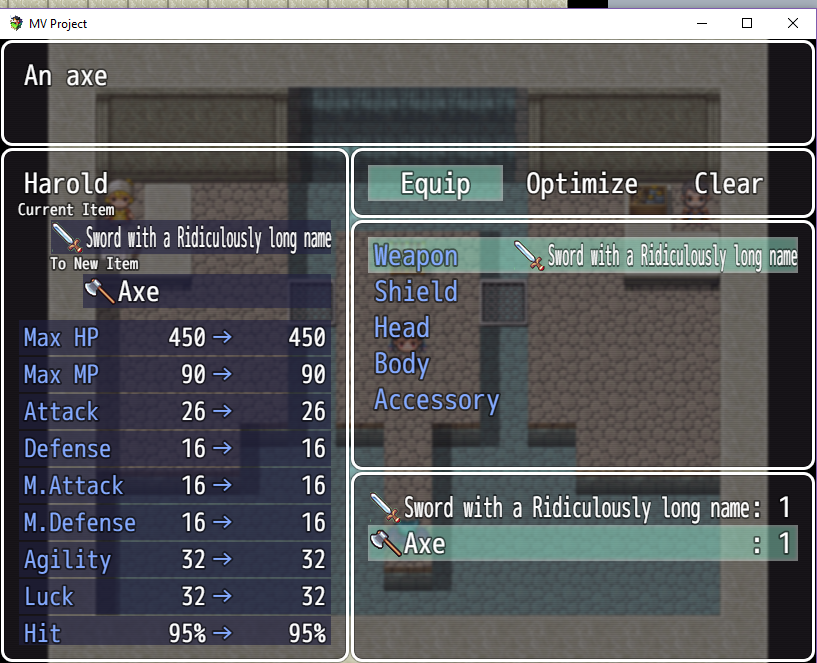
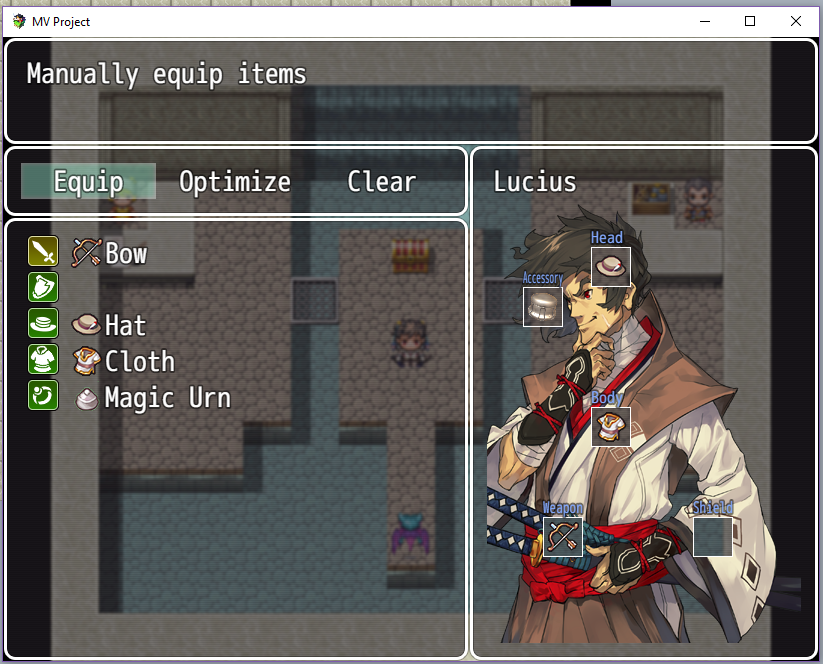
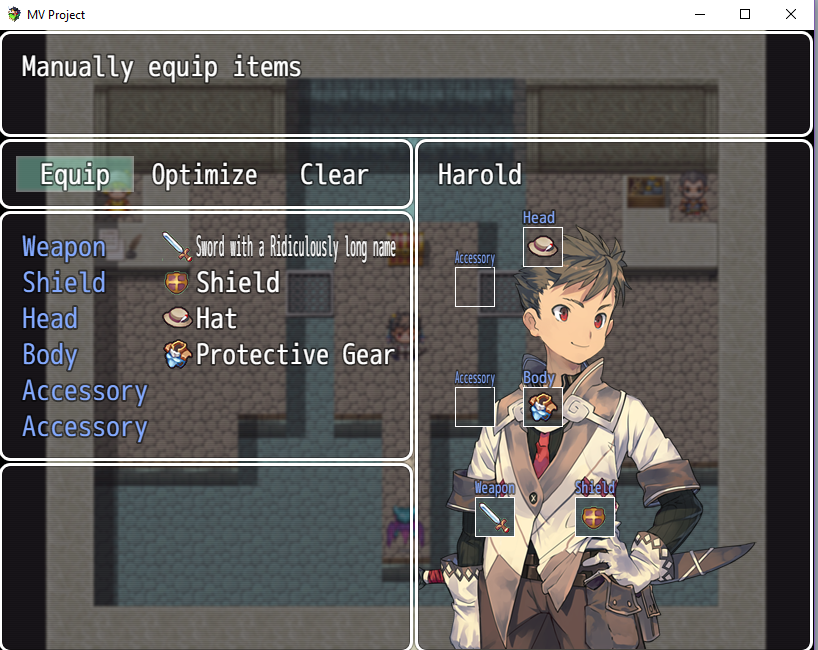
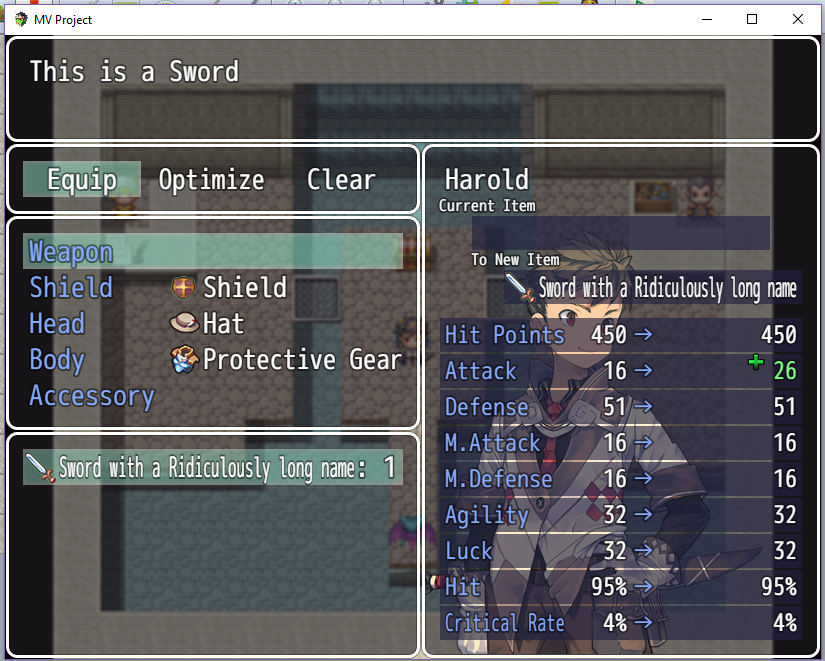
Here are the defaults that I used.
default body images
- Icons for equipment types (based on types assigned in Database or custom numbers
- Visual placement of equipment onto a body image (based on actor's equipment slot numbers)
- Equipment icon positions can be assigned to match your own images.
- Adjust size of equipment icons on body image or use larger individual images assigned in the item' notebox
- Customize different locations for equip slots for everyone of your actors or classes. Actors with unique equipment slot setups will take priority over classes with unique equipment slot setups which will take priority over the default equipment slot setup. This is for each individual slot number.
- Body image can be assigned to actors or to classes in the Database Notebox (actors take priority)
- Show/reorder all parameters in Equip Status. (can rename/name any parameter)
Here are the defaults that I used.
default body images

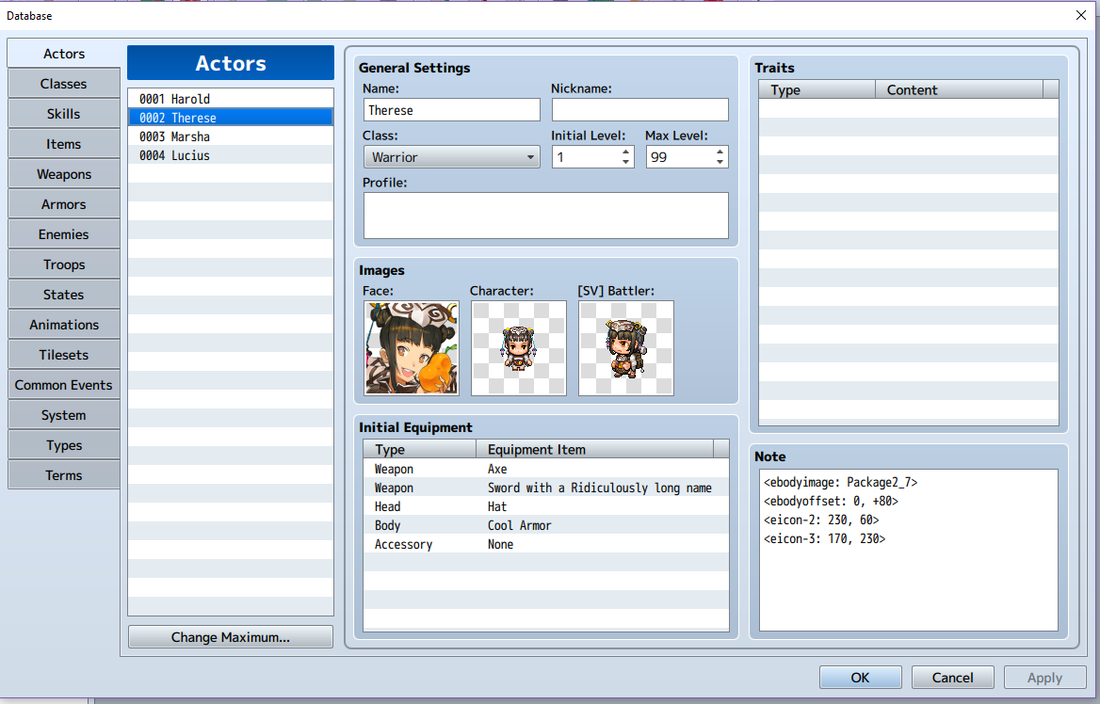
ACTOR & CLASS NOTETAGS
The name is the filename of the image in Img\Pictures
<ebodyscale: x> - Specifies the desired scaling of the body image.
x = 1 provides the default scaling behavior; x = 0.5 halve the size, while
x = 2 doubles it. Note that the image is confined to within the body image window.
If not provided, the scaling factor will default to 1 and use the original image size.
<ebodyoffset: -x, -y>
<ebodyoffset: +x, +y>
Specifies an offset from the default positioning to use for the body image.
Positive x moves the image further right, negative x moves left.
Positive y moves the image further down, negative y moves up.
Note: the image may be clipped as a result of such adjustments.
The equip window's border will automatically overwrite such parts of the image.
Replace string with:
<eicon-id: x,y>
with id as the equipment slot, x, y is the new co-ordinates.
ARMOR & WEAPON NOTETAGS
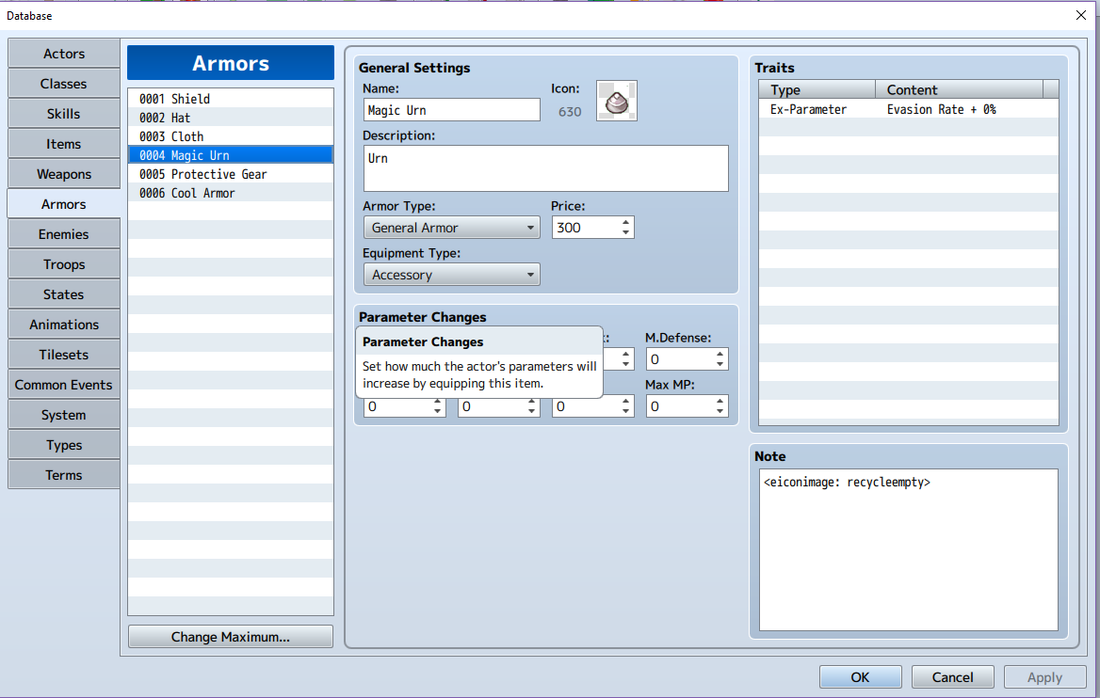
<eiconimage: string>
Uses a picture from Img\Pictures\ of your RPG Maker MV Project's directory with the filename of "string" (without the extension) as the image
picture. Will adjust to size of box.
- actor defined background image for equipment screen
The name is the filename of the image in Img\Pictures
<ebodyscale: x> - Specifies the desired scaling of the body image.
x = 1 provides the default scaling behavior; x = 0.5 halve the size, while
x = 2 doubles it. Note that the image is confined to within the body image window.
If not provided, the scaling factor will default to 1 and use the original image size.
<ebodyoffset: -x, -y>
<ebodyoffset: +x, +y>
Specifies an offset from the default positioning to use for the body image.
Positive x moves the image further right, negative x moves left.
Positive y moves the image further down, negative y moves up.
Note: the image may be clipped as a result of such adjustments.
The equip window's border will automatically overwrite such parts of the image.
- change body icon co-ordinates
Replace string with:
<eicon-id: x,y>
with id as the equipment slot, x, y is the new co-ordinates.
ARMOR & WEAPON NOTETAGS
<eiconimage: string>
Uses a picture from Img\Pictures\ of your RPG Maker MV Project's directory with the filename of "string" (without the extension) as the image
picture. Will adjust to size of box.
Compatibility
Now works with Yanfly Equip core (put BM Equip below Yanfly Equip)
Now works with Yanfly Equip core (put BM Equip below Yanfly Equip)
Update Information
* - put below Yanfly Equip
- Version 1.20: 2018-Mar-16
- Version 1.19: 2017-Aug-12
- Version 1.18: 2017-July-07
- Version 1.17: 2017-June-28
* - can remove body window and just show status compare window - Version 1.16: 2016-June-03
* - adjusted visual options
* - changed coding - Version 1.15: 2016-May-13
- Version 1.14: 2016-May-12
- Version 1.13: 2016-May-11
- Version 1.12: 2016-May-11
- Version 1.11: 2016-May-10
- Version 1.10: 2016-Apr-11
* - put below Yanfly Equip
- Version 1.01: 2016-Mar-14
- Version 1.00: 2015-Nov-24
